Support
Getting Help
If something breaks, behaves strangely, or just refuses to cooperate, support is built directly into DSentr. No emails. No external ticket system. No scavenger hunt.
Submitting an Issue
When you run into a problem:
- Click the Issue button in the top navigation bar.
- A support form opens inside the app.
- Fill in the details of what went wrong.
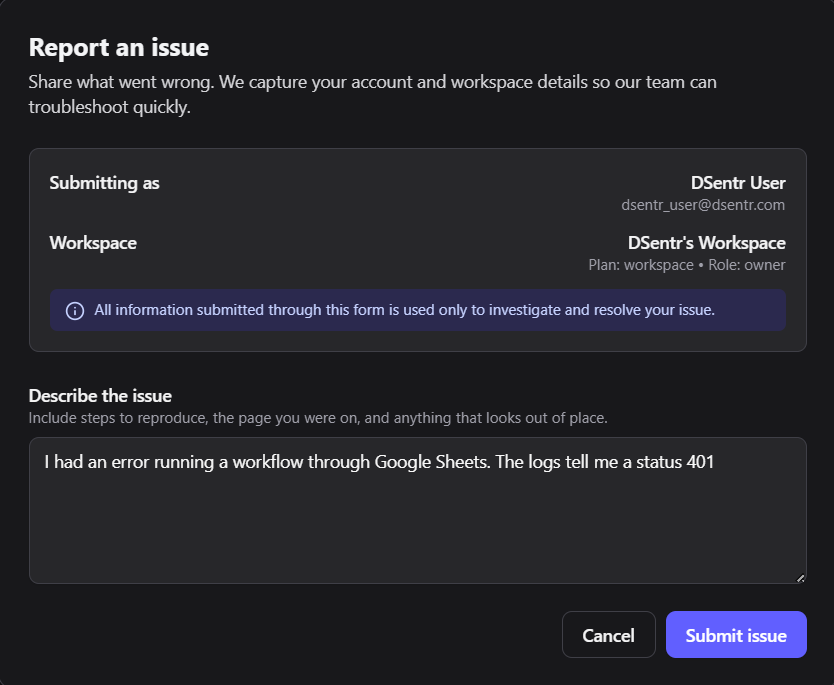
The form asks for:
- A short summary of the issue.
- A clear description of what you were trying to do.
- What you expected to happen.
- What actually happened.
- Any relevant workflow, node, or run context.
Be specific. Vague reports slow things down for everyone, including you.
Submit an issue: 
Issue submission form
What Happens Next
Once submitted:
- Your issue is logged for investigation.
- The DSentr team reviews the report and associated context.
- Follow-up questions or updates are sent through DSentr’s internal messaging system.
You do not need to monitor email or re-submit anything. All communication stays inside the platform.
Replies and Updates
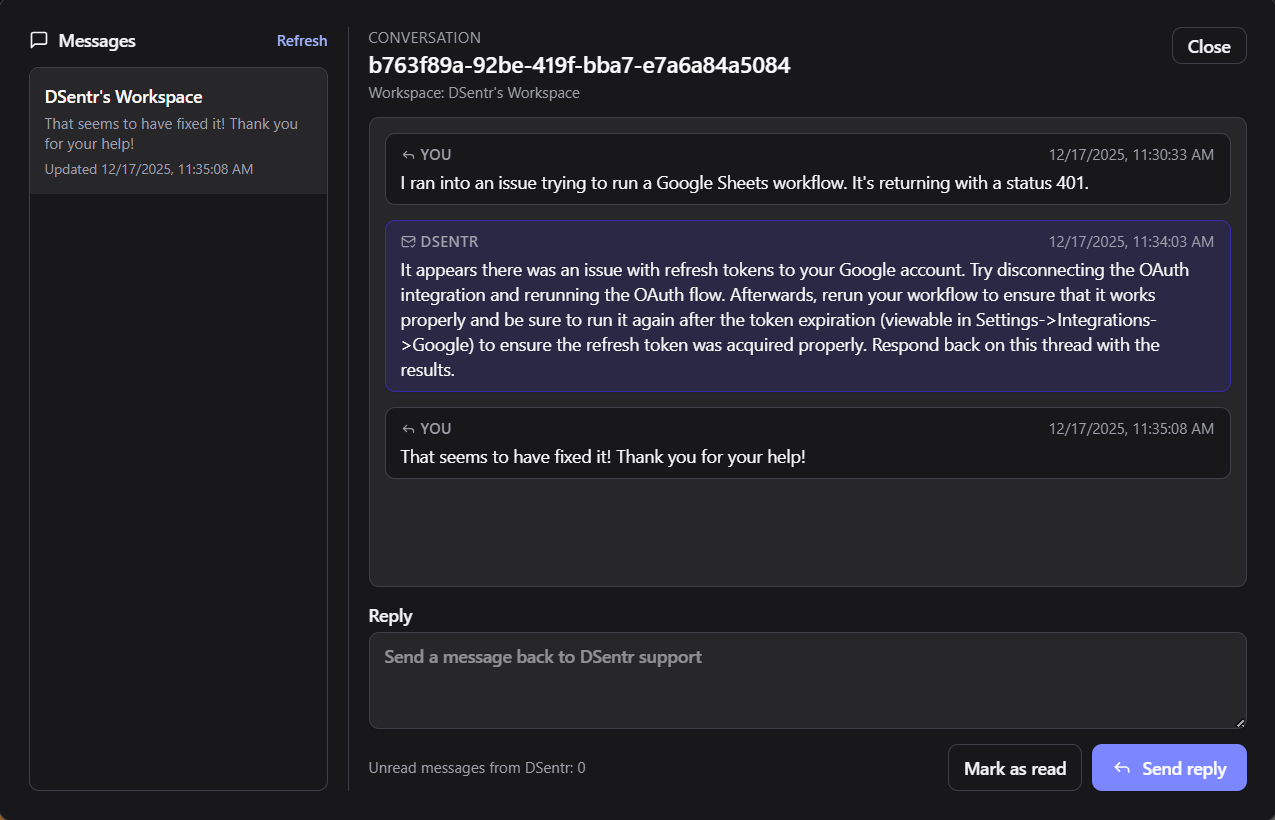
Support responses appear in your internal messages:
- Requests for clarification.
- Status updates.
- Resolution notes or workarounds.
You can reply directly in the thread to continue the conversation.
System Messages: 
System Messages Thread:
Scope of Support
Support covers:
- Platform bugs.
- Workflow execution failures.
- Integration issues.
- Billing and plan questions.
- Security or access concerns.